It depends on each post's job. A Reel is posted to reach people who do not follow you, so you look first at how long people watch it and how many share it. A Story is posted to keep the relationship with your followers, so you look at replies and exits. A TikTok video is judged by where its views came from. Do not ask whether a post had good engagement: ask whether it did the job you posted it for.
Which metric should you watch in each format?
The whole guide in one table. Each row is covered in detail below.
| Format | Job | Watch first | Then watch |
|---|---|---|---|
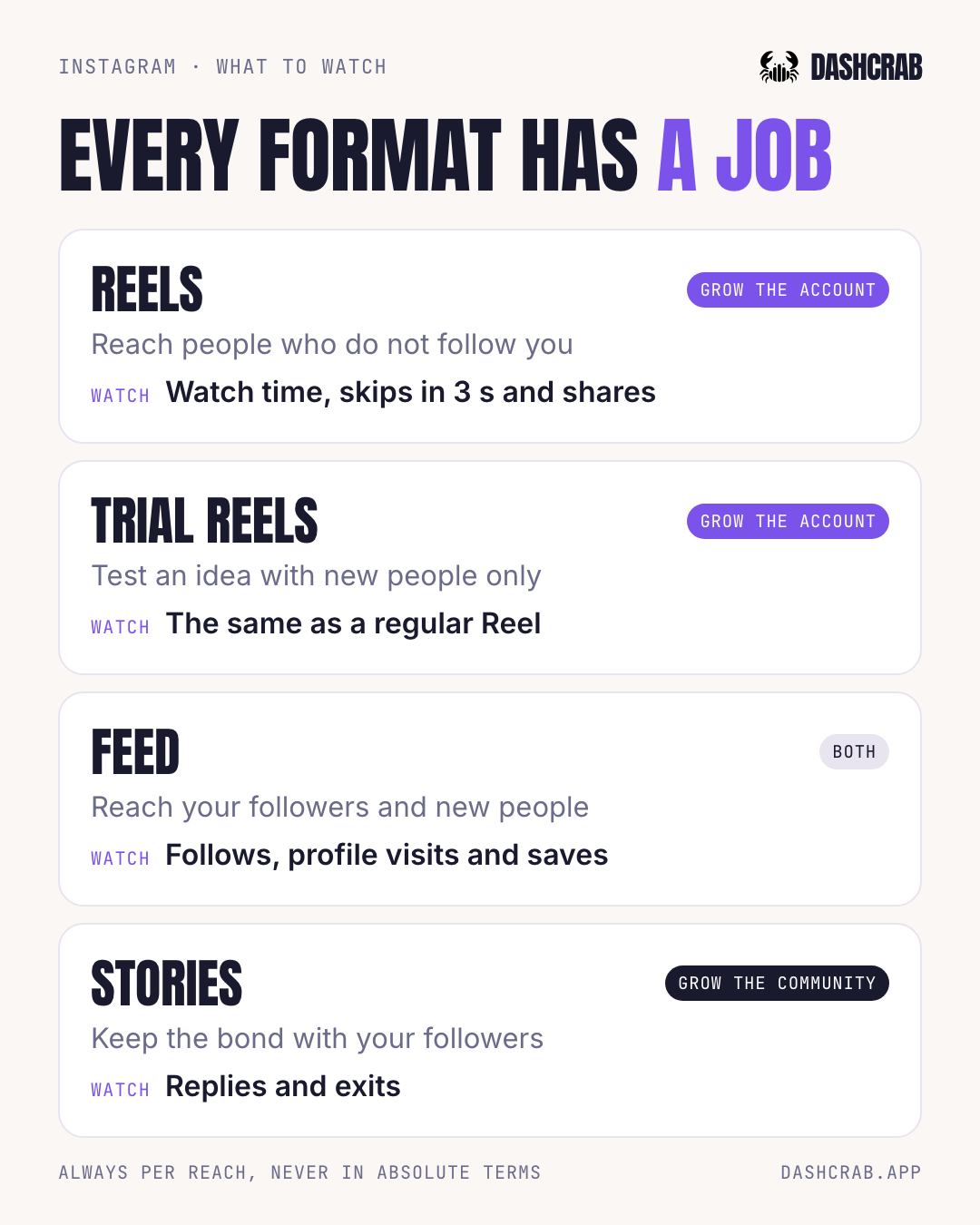
| Instagram Reel | Reach new people | Watch time and skips before 3 s | Shares per reach |
| Trial reel | Test an idea with people who do not follow you | The same as a Reel | The same as a Reel |
| Feed: carousel or photo | Reach your followers and new people | Follows and profile visits | Saves |
| Instagram Story | Keep the relationship | Replies | Taps forward and exits |
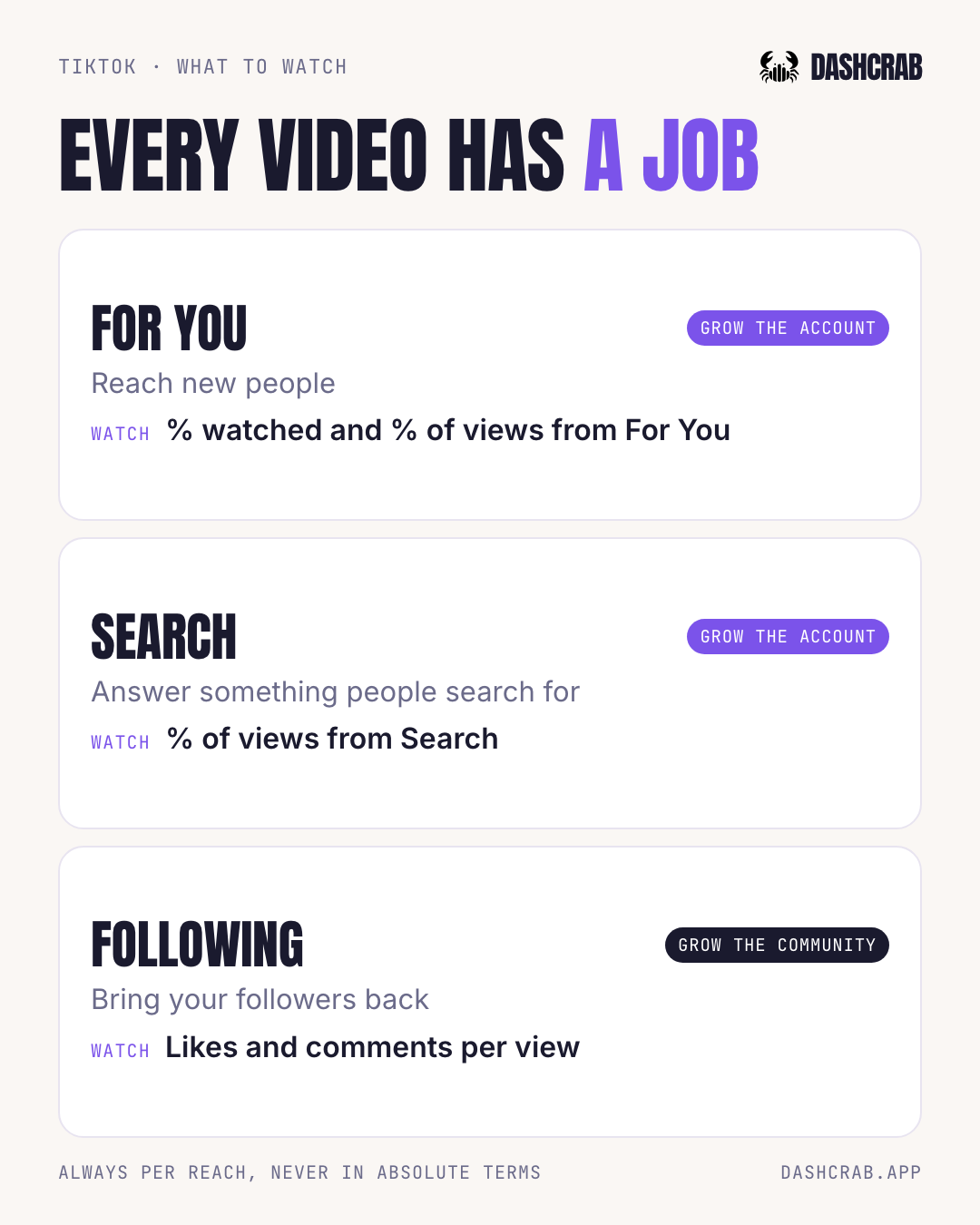
| TikTok on For You | Reach new people | % of the video watched | % of views from For You |
| TikTok on Search | Answer something people search for | % of views from Search | % of the video watched |
| TikTok on Following | Bring your followers back | Likes and comments per view | % of views from Following |
Three questions for any post. Job: why did you post it? Signal: which metric proves it did that job? Action: what do you change in the next one? A Reel posted to reach new people is judged by watch time and shares, and if it fails, what you change is the opening or the reason to share it.
Do you want to grow the account or the community?
They are two kinds of growth, measured with different numbers. Growing the account means reaching new people: it shows in watch time, shares per reach, views from people who do not follow you and follows. Growing the community means bringing back the people already there: it shows in likes and comments per reach, Story replies and saves. A single engagement number mixes both.
We did not invent this split. Adam Mosseri, head of Instagram, recommended watching average watch time, likes per reach and sends per reach, and said likes matter slightly more with people who follow you and sends with people who do not. So if you want to grow the account, shares say more than likes. One detail: Instagram does not return sends through its API, it returns shares, which is the closest number.
Never in absolute terms. 50 shares on a Reel seen by 500 people is 10%. 200 shares on one seen by 40,000 is 0.5%. The first is the better signal, even with fewer shares.
How do you know if your account is growing?
By comparing periods against your own account, with per-reach rates and net followers. In practice:
- Compare against your account, not internet averages. The same rate can be high in one niche and low in another.
- Look at periods, not yesterday's post: for example, the last 30 days against the previous 60.
- Do not calculate rates on very little reach. At Dashcrab we do not calculate them below 100 accounts reached: two shares out of 40 people is 5% and means nothing.
- Track net followers, not just new ones. For some accounts, the Instagram API returns zero unfollows even when there are some.
- Wait for the data to mature. Meta's documentation warns that metrics can be delayed up to 48 hours.
Which metrics should you watch on Instagram?
What is the most important metric for a Reel?
If you want to reach new people, look first at how long they watch it and then at how many people share it per 100 reached. Likes are a better measure of how your current audience responds.
According to the Instagram API reference, each Reel comes with its average watch time and the share of plays that skipped it before 3 seconds. What it does not come with per Reel: follows, and the split between followers and non-followers, which comes per account and per format.
What is a trial reel and how is it measured?
It is a Reel Instagram shows first only to people who do not follow you, and it is measured like any Reel. What changes is the reading: its whole audience is new people, without the push from your followers.
As Instagram explains, after about 24 hours you see plays, likes, comments and shares, you choose whether to share it with your followers, and you can have it shared automatically if it does well in the first 72 hours. They work for testing an idea, an opening or a topic before your usual audience sees it.
Which metrics should you watch on a carousel or feed post?
Follows and profile visits first, then saves. The feed does both jobs: your followers see it and Instagram also recommends it to people who do not follow you.
The Instagram API returns follows and profile visits for every feed post and every Story, but not per Reel. That is why the feed is where you see whether a specific post brought followers. A carousel people save is content they plan to come back to.
Which metrics should you watch on Instagram Stories?
Replies first, then how many tap forward to the next one and how many exit. Stories keep the relationship with people who already follow you: asking them for new reach is asking for something they do not do.
Instagram explained in 2023 that it ranks Stories by your viewing history, your interactions and your closeness with each account. Through the API, every Story comes with replies, navigation (taps forward, back and exits), follows and profile visits. Replies come back as zero for Stories posted in Europe and Japan.
Which metrics should you watch on TikTok?
First, where each video's views came from: For You, Following, your profile or Search. That tells you which job the video ended up doing, and from there you know which metric to watch.
TikTok explains that on For You, interaction signals such as finishing or skipping a video, watch time, likes, comments and shares carry weight, and that in Search, how well the content matches the query tends to weigh more. In the integration Dashcrab uses, TikTok API for Business returns per video views, average watch time, full video watched rate, likes, comments, shares and view sources. It does not return skips at 3 seconds or saves.
How do you know if a TikTok is reaching new people?
Look at the share of the video watched and the share of views from For You together. If both go up, the video left your circle and people stay.
The share watched is average watch time divided by length, so compare against videos of similar length: 15 seconds watched halfway is not the same as 90 watched halfway. The full video watched rate works as a second signal.
What does it mean when a TikTok gets views from Search?
That it answers something people search for on TikTok, and there relevance wins. A video made for Search has to clearly answer the question, not just collect likes.
Look at how much of the views come from Search and how much of the video gets watched. If the Search share grows across your videos on a topic, people search for that topic and it is worth keeping answering it.
How do you measure videos for your followers?
With likes and comments per view and views from Following and from your profile. Behind the scenes, replies to comments or series are not posted for For You: not landing there is not a failure, it was not their job.
What should you do based on what you see?
Metrics are useful when they change the next post. These are likely readings to test in your next video, not certain diagnoses: two posts in a row are not a controlled experiment, because the topic and the timing change too.
| If you see this | This is probably happening | Try in the next one |
|---|---|---|
| Reel with good watch time and few shares | The opening works, but the idea gives no reason to send it to someone | Something that solves a concrete problem for another person |
| Reel with many shares and many skips in 3 s | The idea is good, but it takes too long to get there | Show the problem or the result in the first second |
| Low reach, but a good response from those who saw it | The content lands: what is missing is distribution | Do not rewrite it. Keep posting and test the idea as a trial reel |
| Carousel with many saves and few follows | It is useful as a reference, but it does not make clear why to follow you | Close with what else you will post on that topic |
| Story with many exits on the first one | The problem is the opening, not the whole sequence | Start with the most interesting part |
| TikTok with a good share watched and little For You | It works with people who already see you, but it has not left your circle yet | Do not delete or repost it: TikTok warns that results can take days to develop |
| TikTok with lots of Search and a low share watched | You found demand, but the video does not answer the search fast enough | Give the answer sooner |
How do you do this without a spreadsheet?
By hand, it does not scale. To analyze a single account you would have to open Instagram and TikTok, separate each format, divide every metric by its reach, compare every post against the account's history and only then decide what worked. And next week, all over again.
Dashcrab does that work for you once you connect Instagram and TikTok. The Account analytics screen gives you the signal:
- Two separate markers. Community: out of every 100 people who saw your videos, how many left a like or a comment. Growth: out of every 100, how many shared them. Both compare the last 30 days against the previous 60.
- How much of your views come from new people: non-follower views on Instagram, at account level, and views from For You on TikTok.
- Each format judged by its job: follows on the feed, replies and exits on Stories, skips on Reels, share watched on TikTok.
- Every number within your account's own range, between your worst and your best post, not against someone else's average.
- The first 24 hours curve of your recent Instagram posts, to see whether they started fast or gathered reach late.
And for the action, video by video, Content AI shows what happens in the first 3 seconds and what to change in the next one. You get it in Dashcrab for creators, and if you manage client accounts, all of them together in the agency plan.
The available metrics correspond to the Instagram API and TikTok API for Business as of September 2026. The readings in the what to do section are hypotheses to test, not platform rules. Platforms change features and metrics often, so it is worth checking the linked sources.